Nakao Filter
Nakao Filter is an add-on for VirtualLens 2. It adds the light of real lens filters such as mist and cross filters, plus color grading, a composition guide and a watermark. Place it under your avatar and upload, and it works. You change the strength and every setting inside VRChat.
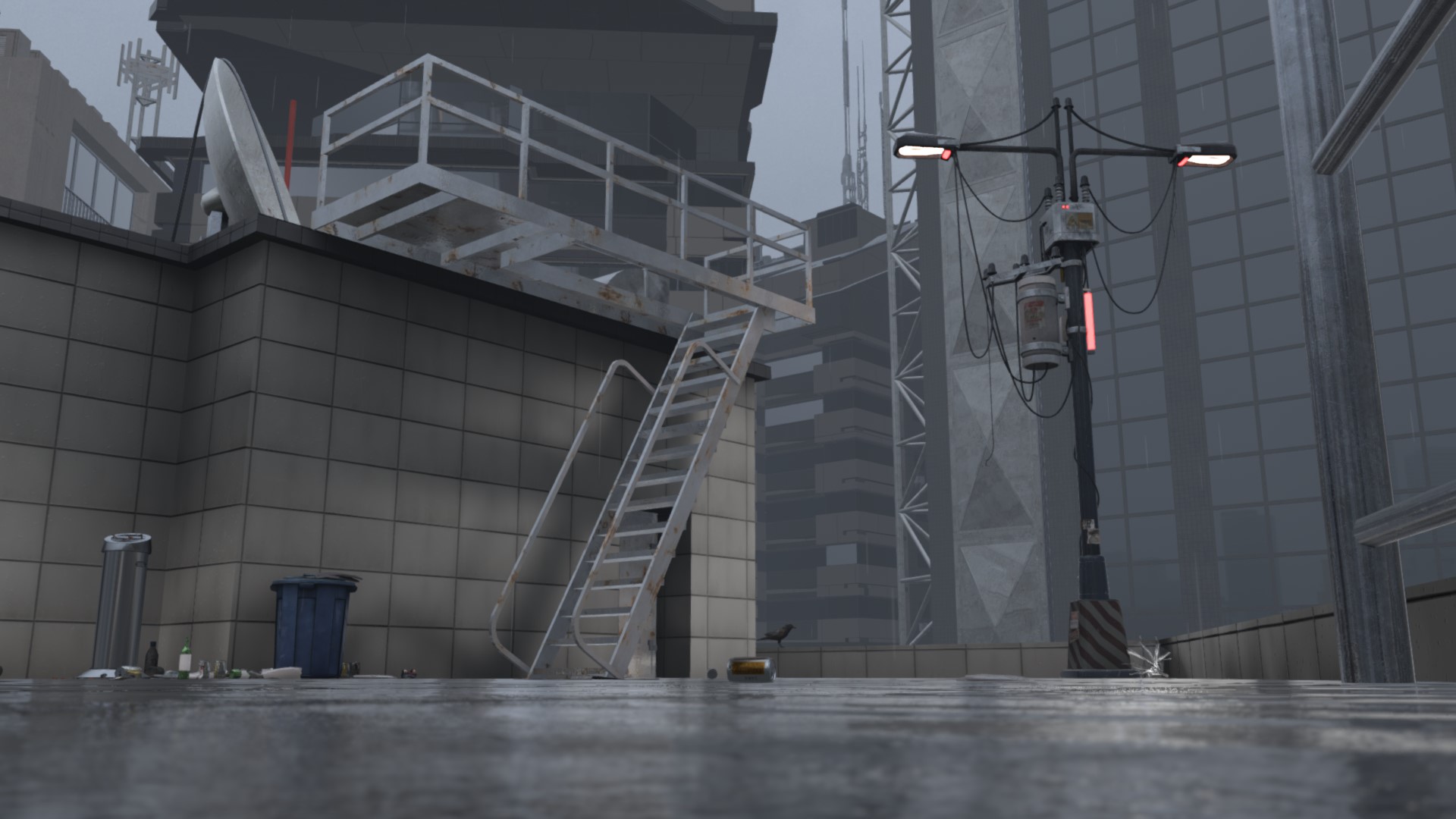
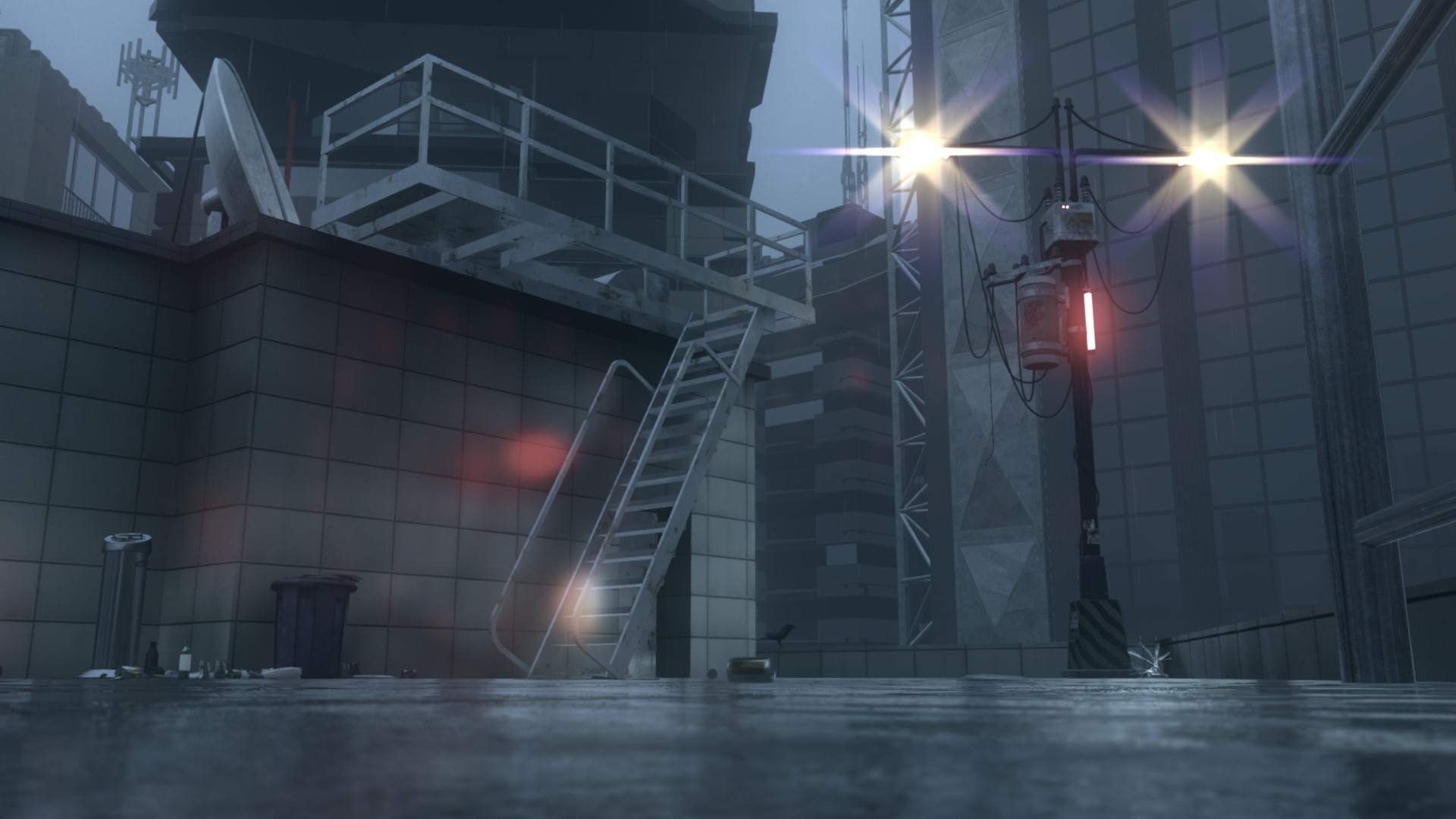
World : PROJECT 2046
What it does
| Feature | Description |
|---|---|
 Mist Mist |
Bright areas glow softly |
 Cross Cross |
Rays stretch out from light sources |
 Iris Iris |
Adds lens ghosts and a halo |
 Directional Blur Directional Blur |
Adds blur in one direction, like a panning shot |
 Depth Mask Depth Mask |
Keeps the subject in focus free of the filters |
 Color Grading Color Grading |
Adjusts exposure, contrast, saturation, color temperature and more |
 Spiral Grid Spiral Grid |
Shows a guide for composition |
 Watermark Watermark |
Puts a logo, the focal length, the f-number and the filter names in a corner of the photo |
Photos look exactly like the VirtualLens 2 screen (1080p to 8K). Each filter turns on and off on its own, and a filter that is off adds no load.
Requirements
- VirtualLens 2 (2.12.3 or later)
- Modular Avatar
- NDMF
- Unity 2022.3.22f1
- VRChat for PC
VirtualLens 2 is required
Nakao Filter is an add-on for VirtualLens 2. You cannot use it without VirtualLens 2. VirtualLens 2 (by Rojilab)
Quest standalone, Android and iPhone are not supported. Tested on NVIDIA GeForce (RTX 3080 Ti, RTX 4060). AMD Radeon has not been tested.
Languages
The menu is available in Japanese, English, Korean and Traditional Chinese. Korean and Traditional Chinese are in beta.